
Full build: coach vetting, lesson packages, waivers and payouts
How to Build a Coaching Marketplace in 2026 (No Code)
Run a coaching business with several coaches, without the admin. Independent coaches get vetted and set their hours once, customers book a package of lessons at a discount and tick a waiver on every booking, and the coach is paid after the lesson. Built with no code, and available as a ready-made template.
Everything in the video, set up for you. 14-day free trial, no coding required.
What Is a Coaching Marketplace?
A coaching marketplace is a booking platform where independent coaches list their lessons, customers book a single lesson or a package, and the platform handles vetting, calendars, waivers, payments and reviews. The owner takes a commission on every lesson.
The difference from a coaching company: you do not employ the coaches or run their schedules. Each coach keeps their own prices, hours and clients, and gets paid to their own Stripe account after the lesson. It is also the model for an existing swim school, tennis academy or fitness studio that works with independent coaches and wants bookings, waivers and payouts to run themselves.
The old way to run a coaching business: parents paying by bank transfer, waivers on paper, a spreadsheet of who taught which lesson, and paying each coach by hand at the end of the month. The marketplace way: independent coaches list on your platform, customers book and pay through it, and every coach is paid automatically after the lesson, with your commission taken on the way.
In this video I build that marketplace from scratch: coaches sign up and get vetted, every coach has one calendar for all their lessons, customers book a package of four at a discount, tick a waiver on every booking, and the coach is paid after the lesson, not before. Everything I build is also available as the Coaching & Lessons template, so you can start from the finished setup.
Quick answer: how to start a coaching marketplace in 2026
- 1
Pick one city and one or two sports
Five to ten good coaches in one city is already a real marketplace.
- 2
Set up the platform for lessons
Private lessons, group classes and online sessions, lesson length as a price option, package discounts and one calendar per coach.
- 3
Vet the coaches
Signup questions for certifications, background check, first aid and insurance, and your approval before anyone can list.
- 4
Connect Stripe
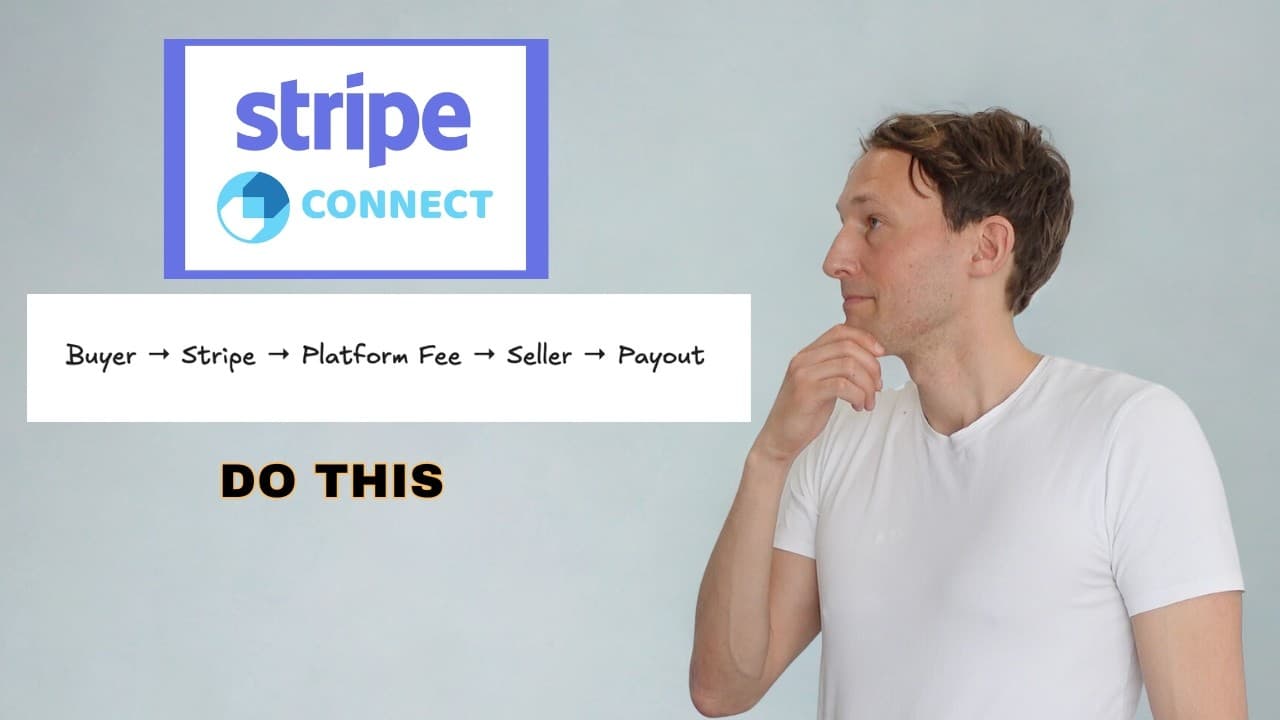
Each coach gets their own Stripe account, every booking splits between you and the coach, and the coach is paid after the lesson.
- 5
Recruit coaches who already have clients
Then move those clients over with package discounts that only exist on your site.
All of the above, ready in a minute. 14-day free trial.
Skip the setup: start from the Coaching templateRead the full video transcript▼
The admin of a coaching business (0:00)
If you run a coaching business with a few coaches, you know the admin. Parents paying by bank transfer, waivers on paper, a spreadsheet of who taught which lessons, and paying each coach by hand at the end of the month.
In this video, I'll build a coaching marketplace that does all of this on its own. Coaches get vetted. Every coach has a calendar for their own lessons. Customers book a package of four at a discount. They tick a waiver on every booking. And the coach gets paid after the lesson, not before.
Why coaching is a good marketplace (0:31)
Coaching is one of the easiest marketplaces to start, because coaches already have clients. A good swimming coach or tennis coach usually has a waiting list at peak times and empty slots at other times. So you're not creating demand from nothing. You're just filling the gaps and making the admin disappear.
Secondly, it's local and small. Five to ten good coaches in one city is already a real marketplace.
And thirdly, if you're already running a swimming school or a tennis academy, this replaces the admin. Each coach connects their own Stripe account to the marketplace, the customers pay through the site, your commission stays with you, and all the coaches are paid out automatically. Now let's build this.
Pick the template and name it (1:12)
I'm on Prometora and I'm about to create the new marketplace. For a coaching marketplace, we pick the service marketplace template and click next. For the name, I'll call it PeakCoach. And in the description, under what will be sold on your marketplace, we add "Book vetted private coaches in Denver - tennis, swimming, running and fitness, one lesson or a package". And now let's create the marketplace.
So we have the first version here. There are a couple of demo listings already, and there is a "Browse by Sport" section with tennis, swimming, running and fitness. On the all listings page you can see the different listing types. Front-end wise, we're going to leave it like this for now, so let's go to the store settings and set up the back-end flow.
Listing types, coach hours, packages and group classes (2:09)
We're in the store settings, on the listing form. Right now we have four listing types, but no custom fields in the create listing process. We're just asking for the title, description and price, and I want to ask a couple more questions.
So I changed it. Instead of listing types by sport, I changed them to private lesson, group class and online session. In the custom fields there's a field for the sport, where you choose tennis, swimming, running or fitness, and it's required. We're also asking for the level and the age group, and coaches can add multi-session prices and price options. The coaches then set up their availability in their seller dashboard, which I'll show in a second.
Coach signup, vetting and approval (3:22)
The signup form has athlete and coach, but for the coach we're only asking for the first name, last name and email. I think it's good to ask for a few more things.
For the athlete, we're still just asking for the first name, last name, email and an optional phone number. For the coach, I added these seller fields: phone number (optional), business name (optional), which sport or discipline do you coach, coaching certifications, years coaching, do you coach under-18s, have you completed a background check, current first aid, do you carry liability insurance, where do you coach, and an "anything else" field.
Under sellers and buyers I toggled on "Require Seller Account Approval". So whenever a coach creates an account, the marketplace owner, me in this case, has to approve or reject it. The same with listing approval: I go through all the listings too. That's the process we want for this coaching marketplace.
Just a quick one. If you want to copy what I make in this video, go to the ready-made templates and pick "Coaching & Lessons". Then you get the whole setup from this video.
On seller profiles I also added three badges: ID Verified, First Aid & CPR, and Background Checked, each in its own color. The ID Verified badge is granted automatically when Stripe verifies the seller. And on the signup form there's a badge rule on the current first aid and CPR question: if the answer is yes, the badge is shown. That's how the coaches get these badges on their profiles.
Booking settings, waiver and payout after the lesson (4:15)
Under bookings, I enabled bookings, of course. I'm using 12-hour time, and I added the time zone where the sessions take place, Denver, because this marketplace is Denver-based. But I also let coaches set their own time zones, so a coach in another time zone just adds theirs.
For rescheduling, customers can request a new time, but the deadline is 24 hours before the session starts. After that they can't reschedule.
The payout is set to after the session. The customer gets an email asking how it went, and if the customer does nothing, the payment is released to the coach automatically 3 days after the session.
Then the booking terms. We require the customer to tick a box for the liability waiver, and the waiver text shows here: "I understand that sports and fitness sessions carry a risk of injury. I confirm the participant is fit to take part and I will tell the coach about any medical condition before the session."
Stripe Connect setup (7:20)
Before we sign up on our own marketplace, we go to the payments tab and add our Stripe test keys, so we can test everything before switching to production keys. I copy the publishable key and the secret key from my Stripe sandbox, paste them into the Prometora back office and save. For the webhook, I just click here and it's set up in test mode too.
Coach availability setup (8:07)
Now I go to the marketplace and sign up as a coach. I add first name, last name and my email, answer all the questions, and send the magic link.
When I click sign in from the email, I land on a waiting page, because this marketplace has seller account approval. I also got an "Application received" email, and as the marketplace owner I got a "New seller application" email. So I go to sellers and buyers in the store settings, look at the new coach's details, and approve him. Back on the marketplace, after a refresh, I'm signed in.
In the availability area I set my hours as the coach. I'm available Tuesday, Thursday and Saturday in these time slots. Sessions can start every 15 minutes, there's a 15-minute break between sessions, and I'm bookable 60 days ahead. If I had a week of holiday coming up, I could block it here too.
Then I create a listing. A title and description, and a price with two price options: 30 minutes for $45 and 60 minutes for $80. Then multi-session prices: book four sessions and get 10% off, eight or more and get 15% off. The sport is tennis, all levels, adults only. I add an image, and the availability is already set, so nothing to do there. Because the marketplace has listing approval, the listing is pending, so I approve it in the store settings and it's live.
Then in the dashboard I connect Stripe, so I can receive money as a coach. I pick United States, add test data because we're in test mode, and agree and submit. Now money can be paid out to my bank account whenever I've completed a session.
Making a booking as an athlete, payment and rescheduling (11:57)
Now I sign in as an athlete and find the listing. I book 60 minutes on the 20th and also the 24th, so that's $160. I add a message, "Can you do these?", tick the liability waiver and send the request. In my dashboard I see the two requests pending approval, and that I accepted the waiver.
As the coach I get an email with the two session requests. In manage bookings I approve the first one with a note, "This is good, looking forward". The other time slot doesn't fit anymore, so I reschedule it to the 27th, 6:30 to 7:30, and write "Can you do this instead?". I can also see the bookings in the calendar view.
The athlete gets two emails: "Booking approved", and one for the rescheduled booking with the new time. As the athlete I could request another time, but I pay for both at once instead, with a test card because we're in a sandbox.
The coach gets a "Payment received" email saying the slots are booked and the customer accepted the liability waiver. The athlete gets a receipt as a PDF and a "Payment confirmed" email. Signed in as the coach, both bookings show as paid, and the calendar view shows when they happen. That's the payment flow.
Build your own (15:05)
If you have an idea for a coaching marketplace, I really encourage you to test out Prometora. There's a 14-day free trial. A coaching marketplace is one of the easiest ones to start, so go ahead, make your dream marketplace and show it to the world. If you liked this video, please give it a like and maybe subscribe. See you in the next one.
Why Coaching Is One of the Easiest Marketplaces to Start
- Coaches already have clients. A good swimming or tennis coach usually has a waiting list at peak times and empty slots at others. You are not creating demand from nothing, you are filling the gaps and taking away the admin.
- Local and small. Five to ten good coaches in one city is already a real marketplace for the people in that city.
- Repeat business. Lessons are weekly, and packages of four or eight turn one customer into many bookings in one payment.
- It replaces the admin of an existing school or academy. If you already run a swim school or tennis academy with independent coaches, each coach connects their own Stripe account, customers pay through the site, your commission stays with you and every coach is paid automatically.
What Gets Built in the Video
- Three listing types: private lesson, group class and online session, with required custom fields for the sport (tennis, swimming, running, fitness), the level and the age group.
- Lesson length as a price option. 30 minutes for $45 or 60 minutes for $80 on the same listing.
- Lesson packages. Book four lessons and get 10% off, eight or more and get 15% off. One request and one payment for the whole package.
- One calendar per coach. Each coach sets their hours once (days, start times every 15 minutes, a 15-minute break between lessons, bookable 60 days ahead), and a booking on one listing blocks that time on all their others.
- Coach vetting. Signup questions for sport, certifications, years coaching, under-18s, background check, first aid and liability insurance, owner approval of every coach and every listing, and badges: ID Verified (granted when Stripe verifies the coach), First Aid & CPR (from a signup answer) and Background Checked.
- A waiver on every booking. The customer ticks your liability waiver before they can request a lesson, and the coach sees it was accepted on the booking.
- Payout after the lesson. The customer is asked how it went, and the coach's share is released 3 days after the session unless the customer reports a problem.
- Rescheduling with a cut-off. Customers can ask for a new time up to 24 hours before the lesson, and coaches can move a booking themselves.
The Booking Flow, Step by Step
- 1RequestNo card yet
The customer picks a coach, a lesson length and one or more slots, ticks the waiver and sends the request.
- 2Approve or move
The coach approves each lesson, or moves it to a time that works, with a message.
- 3PayCoach's share held
One checkout for all approved lessons, a PDF receipt, and the lessons land in the coach's calendar.
- 4Lesson
After each lesson the customer is asked how it went.
Problem reported? The payout waits. You decide on a full or partial refund and how much is released to the coach. - 5PayoutCoach paid
The coach's share for that lesson is released 3 days after the session (your setting), lesson by lesson.
- 6Review
The customer leaves a review, which shows on the coach's profile.
What a Coaching Marketplace Makes
Part 2 of the series: how one lesson splits between you, the coach and Stripe, the setting that decides who pays the card fee, how a package splits, what happens with no-shows and cancellations, and what this adds up to per month.
Read the full video transcript▼
Intro (0:00)
In the last video I built a coaching marketplace. Now, the money. What do you, as the marketplace owner, make on a lesson? What does the coach get? And what happens when someone books a package of four? Then the two things coaching owners actually worry about: paying coaches after the lesson instead of before, and what to do with no-shows. Plus the Stripe settings and how you decide who pays the card fees. Let's do it.
Setting the commission and who pays the Stripe card fees (0:25)
I'm in the store settings, under Payments. In the last video we added the Stripe sandbox keys, because we're still testing. Down here are the commissions and fees. It's set to 20% from the seller. So every time a buyer pays $100, you as the marketplace owner keep $20, and the seller receives around $76: the $100 minus the $20, minus the estimated Stripe card fee. Those fees differ from country to country, so it's an estimate, but it's around $2 to $3.
To make it cleaner for the seller, I can click here so that the seller receives exactly $80 and we take the card fees out of our commission. We earn a little less on each booking that way. I'll keep it like this, because marketing-wise it's easy to tell our coaches that they receive their price minus 20%.
We can also push our coaches towards package discounts, so the overall card fee is lower, because there's just one checkout. In this example Chris Coach has two package deals: buy four or more lessons and get 10% off, buy eight or more and get 15% off. That's very normal for a coach to offer, and it's nice for them too, because they get more bookings at once.
Making a test package booking (1:39)
So let's make four bookings. We'll go for the 30-minute ones, and I pick four slots. The price is $162, and you can see I save $18. I agree to the liability waiver and request them. As the athlete I'm sent to my dashboard, and the request is pending approval, because the coach has to approve before I can pay.
Logged in as Chris Coach, I see the package waiting and approve all of them at once. They're confirmed and awaiting payment. Back as the athlete, I pay for all of them in one go, with a test card because we're in a sandbox.
We received a receipt with a PDF attached. The coach received a payment received email with the payout information: the payout is after completion, so the earnings are released three days after the session. As the coach I can see the lessons are paid, see exactly when they happen in the calendar view, and message the athlete here if I need to, maybe to bring a tennis racket.
The difference between 3 ways to pay (4:02)
At the start of the video I set it up so that we, the marketplace owner, pay the card fee. That's up to you, and it depends on how you want to market it. Usually it's easiest to tell coaches that you take the fee, because then they get their price minus your commission and nothing extra on top.
Let's look at three examples. Four checkouts, no discount. One checkout at full price. And the one we did: one checkout, 10% off. With four checkouts the total card fee is the highest, above $6, whereas with one checkout it's only $5. That's because in the US Stripe takes 2.9% plus 30 cents on each transaction, and this differs from country to country. With four checkouts you keep around $30. Same with one checkout at full price, $30. With the package the customer pays $162 instead of $180, so you receive a little less and the coach receives a little less. But it's still really nice for the coach to get four bookings in one go. They want to fill up their calendar.
So who pays for the customer's discount? In this example the coach got $14 less, you as the marketplace owner got about $2 less after the smaller card fee, and Stripe got $1.44 less in fees. And the coach is still paid lesson by lesson: the $129 is held, and it's released after each session.
No-shows and cancellations (6:14)
A lesson is booked and paid. What happens on the day? Both show up: the lesson happens, the customer gets the "how did it go?" email, and after three days, which is up to you, the coach is paid. The customer doesn't show up: the coach keeps the slot, there's nothing for you to do, and the coach is paid after three days.
But what if the customer reports a problem anyway? Then it's up to you as the marketplace owner to decide: a full refund or a partial refund, depending on what the customer says, and whether you release the full amount to the coach or just some of it. If the coach doesn't show up, the customer reports a problem, the payout waits, and you're back at the same decision. You don't release any money to the coach, because the coach didn't show up, and you probably refund the customer in full.
If a session is cancelled in advance, it depends on who cancels and when. Say your policy is 24 hours' notice and the customer cancels closer than that: you probably do a partial refund, maybe half, maybe a quarter, and your commission and the coach's share shrink in proportion. If the customer cancels in time, or you cancel it yourself as the marketplace owner, you cancel that lesson only. That lesson is refunded, the other lessons in the package are untouched, and the slot is free again.
The marketplace revenue calculator (8:06)
So how much can you earn as the owner of a coaching marketplace? Your commission is 20%, though 25% is also fairly normal. Say your average order value is $75, and to begin with you have three coaches, so maybe 50 orders a month, on the Professional plan. Then you break even at around 14 orders and make around $420 a month. The revenue calculator shows where each sale goes, and it's linked in the description so you can put in your own numbers.
Say that after three months you have ten coaches with around 30 orders a month each. Now you make around $3,000 as the marketplace owner, still on the Professional plan. After six months, say you reach 500 orders a month. That's 50 orders per coach with ten coaches, which isn't that much. Your coaches are busy and happy, and you make about $5,500 a month. Please put in your own numbers and make your own projections.
Setting your commission per listing type and per coach (9:28)
On the listing form we have three listing types, and you can set a commission on each one that differs from your overall commission. For private lessons, set it to 15%, and now you only take 15% on private lessons.
And say you have a really good coach, Chris Coach, who you want to keep because he brings in so much money. You might give him a lower commission, say 12%, meaning you earn 12% on all the lessons he does. You set that in the Managed Sellers area. So for Chris's bookings you now earn 12%, for the other coaches you still earn 20%, unless it's a private lesson, which we just changed to 15%.
Outro (10:43)
I hope this shows that there are many ways to set up commission on a coaching marketplace, and gave you some inspiration about how much you can earn relatively fast. If you've been thinking about starting a coaching marketplace, test Prometora, there's a 14-day free trial. And if you'd like to talk to me before you start building, use the link in the description to schedule a call. If you found it interesting, give it a like and maybe subscribe. See you in the next one.
- Who pays the card fee is a setting. On a $100 lesson at 20%, with the seller pays (the default) the coach receives $76.80 and you keep $20. With you pay, the coach receives exactly $80 and Stripe's $3.20 comes out of your $20. The video uses "you pay", because "your price minus 20%" is an easy promise to make to coaches. See Card fee: seller or you.
- Packages save card fees. One checkout has one fixed 30c fee instead of four, so a package costs less in Stripe fees than four separate bookings (table below).
- The coach is still paid lesson by lesson. In the package example the coach's $129.60 is held, and each lesson's share is released after that lesson.
- The customer doesn't show up. The coach kept the slot, so nothing changes and the coach is paid as normal. If the customer reports a problem anyway, the payout waits and you decide: a full or partial refund, and how much is released to the coach.
- The coach doesn't show up. The customer reports a problem, the payout waits, and you usually refund the customer in full and release nothing to the coach.
- Cancelling one lesson from a package. Cancel in time and only that lesson is refunded. The other lessons are untouched and the slot opens up again. For a late cancellation, refund part of the lesson instead: your commission and the coach's share shrink in proportion.
- Three places to set commission. Store-wide, per listing type (for example 15% on private lessons) and per coach in Managed Sellers (for example 12% for a coach who brings a lot of clients). The most specific rate wins.
20% commission, you pay the card fee, US card rate (2.9% + 30c per checkout). Bars are drawn to the same $180 scale.
One checkout means one 30c fixed fee instead of four. The package bar is shorter by the $18 discount.
Compared with four separate bookings, the customer's $18 package discount is paid $14.40 by the coach, $2.16 by you and $1.44 by Stripe. The coach gets four lessons booked in one go, which is the point of offering it.
Per month, as an illustration. At a $75 average lesson, 20% commission and you paying the card fee, three coaches with about 50 lessons a month leaves you around $395 after the Pro plan ($175 a month plus 1.5% of sales), with break-even at about 16 lessons. Ten coaches doing 30 lessons a month each is 300 lessons and around $3,245. Ten busy coaches doing 50 each is 500 lessons and around $5,525 on Pro, or $5,640 on Business ($249 a month plus 1%). Prometora's plan and transaction fee are billed to you monthly, never taken from a booking.
Model your own numbers below, or open the calculator with the video's numbers filled in.
Net monthly revenue
$935
After Prometora's fee and subscription
Annual projection
$11,220
Net revenue at this volume × 12
Above break-even
13 orders
67 above, subscription covered
Your numbers
Where each sale goes
The buyer pays $75.00
Billed to you once a month with your subscription
Deducted from the seller, not from you · US card rate
Per sale, before your monthly subscription
Projections
Profit margin15.6% of GMV
Like the look of $935/month?
Start a free 14-day trial and turn this projection into a real marketplace.
As you grow
Net revenue per month at different order volumes, based on $75 AOV, 20% commission and the Professional plan
Monthly orders → net revenue per month
| Orders | GMV | Commission | Fees | Net |
|---|---|---|---|---|
| 50 | $3,750 | $750 | -$231 | $519 |
| 80You | $6,000 | $1,200 | -$265 | $935 |
| 100 | $7,500 | $1,500 | -$288 | $1,213 |
| 250 | $18,750 | $3,750 | -$456 | $3,294 |
| 500 | $37,500 | $7,500 | -$738 | $6,763 |
| 1,000 | $75,000 | $15,000 | -$1,300 | $13,700 |
Ready to Start Earning?
With 80 orders at $75 AOV, you could be earning $935/month. Start building your marketplace today.
How to Get Your First 10 Coaches
Part 3 of the series. A coaching marketplace has one big advantage over most others: coaches already have clients. This video covers which coaches to start with, the pitch, setting coaches up yourself so they never have to touch a dashboard, moving their existing clients over, and where new customers come from.
Read the full video transcript▼
Coaches already have clients (0:00)
In the first video I built my coaching marketplace, and let's say it already has two coaches. This video is about getting to 10 coaches and bringing in the first clients.
A coaching marketplace has one huge advantage over other marketplaces: coaches already have clients. So it's about getting 10 coaches over to your marketplace, and their clients with them. Here's how you do it.
One city, one or two sports (0:23)
The mistake is launching a coaching marketplace for everyone, everywhere. A parent looking for a swim coach doesn't care that there are 40 yoga teachers in another state. So it's one city at a time, and only one or two sports that you understand. Ten swim and tennis coaches in Denver is a real marketplace. Ten coaches spread over ten sports in five cities is just empty pages. Online coaching is the exception, but even there it's best to start with one discipline.
Where coaches come from, and the pitch (0:59)
Let's start with the pitch. First, coaches keep their own prices and hours. They only manage one calendar for all their lessons. They can sell packages at their own discount to fill their calendar. Every client signs their waiver when they book, so they're covered if something happens. They're paid after each lesson, so there's no chasing payments, and some coaches are used to waiting a long time to get paid, so that's a good one to mention. And you can tell them you'll set everything up for them, so they don't have to do anything. I'll show you how in a second.
The last line you should always use is "I'm starting with 10 coaches, and you're one of them." That creates exclusivity, and it's usually a good selling point.
Where do they come from? First, coaches you already know. If you're starting a coaching marketplace in your niche, you probably know some. Next, clubs and facilities: you can help them fill their off-peak slots. Then coaches who already teach privately and want less admin and fuller weeks. The pitch there is that you fill their week and take away the admin, so they just teach. And lastly, newly qualified coaches. They're keen because they want customers, but they don't bring any clients, so you have to bring them customers, whereas the other groups bring customers with them.
Set up a coach and a listing (Managed Sellers) (3:04)
Say one coach was happy for you to set everything up, maybe because they're not technical or don't have the time. All you need is their name, their email and their country.
I'm in PeakCoach, in Store Settings, on the Managed Sellers tab, and I add a seller. Email and country are mandatory, because the coach needs them later to onboard on Stripe Connect and get paid out. The tagline, bio and social links don't really matter, because the coach can adjust them afterwards. I add a profile URL, which becomes the URL of the coach's profile, a tagline and a bio, and an internal note: "Watched a lesson Sep 30, great with nervous kids. Certified since 2017, first aid current. Referred by Chris." I also send the welcome email, so the coach knows I've created the profile.
Then I create a listing on their behalf: a private lesson, "Private swim lesson - kids and beginners", with a description that mentions you save with packages. The price is $70, with multi-session prices: four or more lessons get 10% off, eight or more get 15% off. Sport is swimming, level is beginner, age group is kids, and the session length is 30 minutes. Bookings use the coach's own calendar for availability.
It says the seller account isn't active, because this marketplace has an approval process and we haven't approved the new coach yet. We still have to do that with Managed Sellers. So I approve the coach under Sellers and Buyers, go back, and the listing is created and published.
We still need the coach to onboard on Stripe at some point. They don't have to do it immediately: they can take their first bookings without it, but to get their money they have to go through it. In Managed Sellers I click Connect Stripe, and I can send them an email with the link or copy the link and send it myself. The email says "Set up your payouts" and links to Stripe. Imagine the coach has done a few lessons and has $500 waiting. They'll do the onboarding then, because they want their money.
Usually the coach sets their own availability, because they know their hours better than we do. They log in with a magic link and set it. But we can do it for them: in Sellers and Buyers, I click the icon that logs me in as that coach and go to the Availability calendar. The coach is available Tuesday to Friday in these slots, sessions can start every 15 minutes with a 15-minute break, bookable 60 days ahead. On the listing, the coach is now bookable in those slots.
Moving their existing clients over (10:04)
This is the part that decides whether your coaching marketplace works. If you get 10 coaches to bring their 20 or 30 clients over, your marketplace makes money from the beginning. Two things work well. One is package deals: clients get a discount when they book a package, like four lessons for 10% off. The other is a lower commission for coaches who bring their clients with them, maybe for the first three to six months.
Two things to be honest about. A coach's lower commission applies to all of that coach's bookings, for instance 15% instead of 20%. And some clients will stay off the platform and pay in cash. You can't prevent it completely, and I wouldn't police it. Make the site the easier option. On Prometora you can limit it a bit, for instance by flagging certain words in messages, but most regulars move on their own within a few months if your marketplace is the easier option.
Say Priya has 20 regular clients. They move only if there's a reason, not just a please. First, the package discount, which they only get by booking on the site. Second, they can book at any hour instead of texting the coach. And for Priya, no more chasing payments. It's one message with her profile link: four lessons are $63 each instead of $70. Once one coach moves over with her clients, that's 10 or 20 customers on your marketplace, and you already have a working marketplace.
To set a different commission for a coach, go to Managed Sellers and set it, for instance 15%. You then earn 15% on all of that coach's bookings.
How you help with getting them more customers (13:16)
There are things you need to do as the marketplace owner to bring your coaches new customers. First, the basics. Tell your own network there's now a marketplace for booking these coaches, and set up a Google Business Profile, so "swim lessons near me" in Denver finds you.
Then work on new customers together with your coaches. Ask coaches to set up a free intro session, a 20-minute listing at $0. It books like any lesson, but there's no payment and no commission. The coach meets new customers and offers the discounted package at the end.
Second, a cheap group class, up to six people in the same slot. The coach sees it as one class, so it only costs one hour. It's an easy first step before an $80 or $90 private lesson, and it's six potential private clients in one hour.
Third, partners who already see your customers: schools and parent groups, physios and sports clinics, or clubs with a waiting list. One partner can fill a coach's whole week.
Supply and demand, and reviews help (15:13)
As you grow, always ask whether you have a demand problem or a supply problem right now. It's normal to switch between the two. Would your coaches notice if the site disappeared next week? If your coaches have empty slots, you need more customers, not more coaches. That's a demand problem. Can a customer get a lesson this week? If they can't get a slot, you have a supply problem and need more coaches. If both are fine, you add the next sport, and only after that the next city.
Reviews help you grow too. Review requests go out after the lesson. After each coach's first few lessons, ask those customers personally for a review, because the first reviews are the ones that matter on the coach's profile. The more reviews your coaches get, the easier it is for them to get their next customers.
Recap (16:59)
I hope this was helpful. If you have an idea for a coaching marketplace, try Prometora. There's a 14-day free trial, and you can always reach out to me first if you want to talk, the link is in the description. If you liked this video, please subscribe and maybe give it a like. See you in the next one.
- One city, one or two sports. Ten swim and tennis coaches in Denver is a real marketplace. Ten coaches over ten sports in five cities is empty pages. Online coaching is the exception, but start with one discipline there too.
- Where coaches come from. Coaches you already know, clubs and facilities with off-peak slots to fill, coaches who teach privately and want less admin, and newly qualified coaches (keen, but they bring no clients).
- You set them up (Managed Sellers, Pro and Business). All you need is the coach's name, email and country. Create the profile and package listings for them, and send one Stripe link. Coaches can take bookings before they finish it, and their money waits until they connect.
- Move their existing clients over. The package discount only exists on the site, clients can book at any hour instead of texting, and the coach stops chasing payments. A lower commission for coaches who bring their clients, for example 15% instead of 20% for the first three to six months, seals it.
- Don't police cash. Some clients will keep paying the coach directly. Make the site the easier option, and flag words like Venmo or cash in messages if you want a nudge.
- New customers. Your own network and a Google Business Profile, a free 20-minute intro session at $0 (no payment, no commission, and the coach offers a package at the end), a cheap group class of up to six, and partners like schools, physios and clubs with a waiting list.
- When to grow. Empty slots mean a demand problem, so find customers, not coaches. Customers who can't get a lesson this week mean a supply problem, so add coaches. When both are fine, add the next sport, and only then the next city.
- First reviews. Ask each coach's first few customers personally. Those reviews are what the next customer sees on the coach's profile.
Hi [name], I'm starting [marketplace], a booking site for independent [sport] coaches in [city]. You keep your own prices and hours, and you manage one calendar for all your lessons. You can sell packages at your own discount, every client ticks your waiver when they book, and you're paid after each lesson, so no more chasing payments. I'll set up your profile for you. I'm starting with 10 coaches, and you're one of them.
Swap the highlighted words for your own. Keep the last line: being one of the first 10 is what gets a yes.
Stripe Connect
Secure payments
SSL Encrypted
All data protected
14-Day Free Trial
Test everything first
Custom Domain
Your brand, your URL
Trusted by Marketplace Founders
“Highly Customizable, Exceptional Support”
“I find Prometora incredibly intuitive and easy to structure, much like Lego blocks… I've tried many alternatives, but Prometora was the only one that didn't limit my vision. Additionally, the support from Rasmus and the Prometora Team is exceptional.”
Antoanella P.
Founder
“Comprehensive, Ever-Improving System with Excellent Support”
“It is a comprehensive system that is constantly being improved and new functionalities are added. And if you are missing a function, you can contact Prometora and ask them to develop it - and they are very responsive… Prometora takes care of everything a web developer would have done in our company, so we can do without that part.”
Torben M.
CEO
“From Business Idea to Reality | Thanks to Prometora!”
“What I appreciate most about Prometora is that it has allowed me to turn my business idea into an actual functioning marketplace without needing a background in coding or software development… Whenever I've encountered a limitation or wanted to introduce a new feature, Rasmus has been incredibly receptive and willing to explore changes or improvements to accommodate my business needs.”
Cesilia S.
Founder & CEO of TidyLink
Reviews collected by and hosted on G2.com
Frequently Asked Questions
If you already run a school or academy with independent coaches, the marketplace replaces the bank transfers, paper waivers and paying coaches by hand.
Add the next sport when coaches and customers are both happy, and the next city after that.
Each lesson is still its own booking in the coach's calendar, so one lesson can be moved or cancelled without touching the rest.
Both use the coach's one calendar, so a booking of either length blocks that time on all the coach's listings.
Packages lower the total card fee, because one checkout replaces several.
Use the calculator above to model it.
For a late cancellation you can refund part of the lesson, and your commission and the coach's share shrink in proportion.
Pick it under Ready-made marketplaces when you create your marketplace, give it a name, and edit from there.
Get Started
Pick the Coaching & Lessons template, name your marketplace, and you are where the first video ends: a working coaching marketplace with vetting, packages, waivers and payouts after the lesson. The rest is your city, your coaches and your brand. Start from the Coaching template.
Related guides
Keep going
More videos and guides on building niche marketplaces.



Ready to start your coaching marketplace?
Pick the Coaching & Lessons template and you have the whole setup from the video in a minute: lesson types, coach vetting, packages, the waiver, payout after the lesson and sample listings. 14-day free trial.
Start from the Coaching template