
Full build: vetting, bookings, payouts, and a ready-made template
How to Build a Cleaning Marketplace in 2026 (Without Hiring Cleaners)
Start a cleaning business the marketplace way: independent cleaners list on your platform, customers book a time slot, the cleaner accepts, then the customer pays, and you take a commission on every job. Built with no code, and available as a ready-made template.
Everything in the video, set up for you. 14-day free trial, no coding required.
What Is a Cleaning Marketplace?
A cleaning marketplace is a booking platform where independent cleaners list their services, customers book a time slot, and the platform handles vetting, scheduling, payments and reviews. The owner takes a commission on every job. Handy, TaskRabbit and Thumbtack all started this way.
The difference from a cleaning company: you do not hire cleaners, buy vans, carry the insurance or run the schedule. The cleaners keep their own prices and their own customers, and get paid to their own Stripe account. It is also the model for an existing cleaning business that works with independent cleaners and wants bookings and payouts to run themselves.
The old way to start a cleaning company: hire cleaners, buy vans, carry the insurance, run the schedule. The marketplace way: you build the platform, independent cleaners list on it, customers book them, and you take a cut of every job.
In this video I build that marketplace from scratch, and not a mockup: cleaners sign up and get vetted, customers request a time, the cleaner accepts, then the customer pays, and if plans change the customer can ask to move it. Nobody is charged for a job the cleaner hasn't said yes to. Everything I build is also available as the Home Cleaning template, so you can start from the finished setup.
2. Set up the platform for bookings: service types (regular, deep, move-out, specialised), prices by home size, time slots, and approval before payment.
3. Vet the cleaners with signup questions (experience, background check, insurance, travel radius) and approve each one before they can list.
4. Connect Stripe. Each cleaner gets their own Stripe account; every booking splits between you and the cleaner automatically.
5. Recruit the first cleaners by hand and get the first bookings from your own network, a Google Business Profile, and property managers who need weekly turnovers.
Or skip the setup: pick the Home Cleaning template and you have all of it in a minute.
Read the full video transcript▼
Why a marketplace instead of a cleaning company (0:00)
If you wanted to start a cleaning company the old way, you would have to hire cleaners, buy vans, carry the insurance and run the schedule. The marketplace way is different: you build a platform, independent cleaners list on it, customers book them, and you take a cut of every job.
I'm going to build that in this video, and not just a mockup. Cleaners sign up and get vetted. Customers request a time, the cleaner accepts, then the customer pays, and if plans change they can ask to move it. Real money, your commission, no code. And nobody gets charged for a job the cleaner hasn't said yes to. Let's do it.
Big market, small start: 5-10 cleaners is enough (0:33)
A quick why before we build. Home cleaning is a huge market. In the US alone it's tens of billions of dollars a year, and pretty much every household buys it at some point.
Here's the part people miss: a cleaning marketplace doesn't need tens of thousands of sellers to work. It's local. Five or ten cleaners in one town is enough to make the marketplace work in that town, and you might already know some of them. So you don't need to solve the chicken-and-egg problem. You need a handful of cleaners you trust, and one town to start in.
And if you already run a cleaning business with a few cleaners working for you, this also fixes the money side. Each cleaner connects their own Stripe account, the customer pays through the marketplace, and Stripe Connect takes your cut and pays the cleaners automatically. You don't have to do any of that by hand. Big market, easy to start. Let's get to it.
Create the marketplace (1:25)
We're on Prometora, and we'll start building our cleaning marketplace. I can pick a template or go the custom-with-AI route. In this case I'll pick a template: this is a service marketplace, so I pick that one and click Next. I'll call it SpotlessLocal, and for the description I'll write "Book trusted independent home cleaners in Austin. Regular cleans, deep cleans and move-out cleans." Let's generate the first version.
The first version is here, and it looks pretty good. Let's see the live version. For a first version made in five seconds, that's pretty nice. This is the About page, and that already looks good too. I'm not going to change anything on the front end right now, because that's easy to change later. Instead we'll set up the whole back-office flow.
I click Store Settings, which takes us to the back office. This is where you set up payments, the signup form, the listing types you want, and so on.
Adding Stripe Connect keys (2:43)
We start with payments. I'll add my Stripe keys, and to begin with I'm using the test keys from Stripe Connect. Here I'm in a sandbox on Stripe, with my publishable key and my secret key. I copy them, paste them into the Prometora back office, and click Save.
Adjusting the different listing types (3:03)
Now the listing form. The initial AI setup made four listing types for us: Regular cleaning, Deep cleaning, Move-out cleaning and Specialized services. That's pretty cool. Each one can have custom fields. This one doesn't have any yet, and neither does Regular cleaning, so let's add a few.
I've made some changes now. Let's go through them. In the live preview you can see I changed not only Regular cleaning but the other listing types too. There are now price options, and custom fields: "What's included", and "Supplies and equipment", which is mandatory. It's a select field with options like "I bring all supplies". There's "Eco-friendly products available" as a checkbox. And of course the calendar: when the cleaner makes a listing, they have to add their availability.
The other types got similar custom fields. Move-out cleaning has "Empty homes only". The calendar is always there. Specialized services has a "Service" field, where you pick from options like carpet cleaning and window cleaning.
Setting the booking logic (5:12)
A couple of other things to set up before we create the first listings. In Payments we didn't set the commission rate. Let's set it to 20%, so you as the marketplace owner earn 20% on every transaction. But in the listing form, for Regular cleaning, we set it to only 15%, and on Specialized services it's 25%, because those are more complicated.
On the Booking tab: we enable bookings. We do not auto-approve bookings, meaning that when a request comes in, a cleaner first has to accept it, and both sides can reschedule. For the time zone I pick America/Chicago, which is Austin's. Then "Customer reschedule requests": I toggle it on, so customers can request a new time, but they have to do it at least 48 hours before. And I toggle on "Pay out after the session", meaning the money stays in the Stripe balance and the cleaner receives it three days after the cleaning.
Adjusting the signup form (6:02)
Now the signup form. Right now you can sign up as a homeowner or as a cleaner. For cleaners, let's ask a few things at signup. I've added fields we now ask cleaners about when they sign up: are you an individual cleaner or a cleaning business, how many years of experience do you have, and so on. That's normal to ask on this type of marketplace, and then we have all that information.
Under Sellers and Buyers, which is where you see all your sellers and buyers (right now only demo ones), we can require seller account approval. I'm toggling that on. And we're also going to require listing approval. So every time a cleaner signs up, we approve them, and the same for listings, because there won't be that many different listings on this type of marketplace. We also won't allow links in listings: if you add a link, you can't publish that listing. We want to keep all transactions inside our marketplace, so a cleaner can't point customers to some other booking site. All transactions happen here, so that we as the marketplace owner earn our commission.
By the way, on the signup form we could also have made this a private-catalog marketplace, where you can't see the listings without signing in first. For this marketplace I won't do that: the homeowners, the buyer side, should be able to browse listings without signing up first. Homeowners only have to add their first name, last name and email. When they make a booking, though, they enter their location: you can see that on the listing form if I scroll down.
The All Listings page looks like this, with the different listing types up top. Right now there are only demo listings. Down here you can toggle on whatever you'd like to filter on later, but let's leave it for now. Same with the product detail page: we'll leave it and adjust it once we've made a couple of listings.
Signing up as a seller (9:10)
Now I'll go to the marketplace and sign up as a cleaner. Afterwards I'll show you the import-data feature, to import three or four of that cleaner's listings, because maybe you're moving a cleaner from another system to this one. It's a very easy way for you as the marketplace owner to help a cleaner move their existing listings over.
I go to the marketplace, click Sign up, and sign up as a cleaner with all my information. I then get an email: "Application received". Remember, we toggled on that the marketplace owner has to accept and verify every cleaner. You as the owner also get an email: "New seller application". Let's review it.
Showing the seller approval logic (9:32)
Before that, from the new cleaner's perspective: if I click the magic link and sign in, I land on a page that says "Application pending". I can't do anything in the seller dashboard until I'm approved. So let's approve him. Back in the back office, under Sellers and Buyers, there's one awaiting approval. I can see all his details by clicking the eye icon and go through his application. If something was missing, I could email him, or reject him. Here I'll just approve him. And if I go back and refresh, I'm now logged in as a cleaner in the seller dashboard.
If you're still watching, then I know you're interested in building a cleaning marketplace, and why wouldn't you? You can copy everything I do in this video very easily and get going with your own cleaning marketplace. There's a 14-day free trial when you sign up on Prometora, so please test it out: click "Ready-made marketplaces", pick the Home Cleaning template, and you have everything I build in this video. Now, back to the video.
Importing 4 listings (11:26)
Before we create a listing manually, let's use the import feature to make the first four. I go to Import Data and drag and drop a CSV I already made. If you want to know what the CSV should look like, download the sample here: it's based on your own listing types, so you know exactly what to put in. If I open that file you can see what it looks like. I already made a CSV, so I drop it in, and it shows me the four listings. I assign them to a cleaner, the new "Cleaner 1", publish them all immediately, and click Import.
A couple of seconds later the four listings are created. In the listings overview I can see all four, assigned to the same seller, "Austin Cleaner". Let's look at one of them: there's the listing, and I can book it right here. That worked. Now let's make a listing manually.
Creating one listing manually (13:29)
I'm back in the seller dashboard. One thing I changed: in Settings I updated the profile so it looks like a real cleaner's. I changed the first and last name to Camila, and added a profile picture and a banner, because later, on the seller profile, you can see all her listings. So sellers can build a profile that shows everything they offer.
Now let's create a listing: Create listing, Regular cleaning, and I add all the information. I picked the Regular cleaning listing type, added a title, a description, and a price of $120. But there are price options: studio or one-bed, two-bed, three-plus beds. And there are add-ons on top of that, each with its own price. I toggled on what's included so the buyer can easily see it. I added one image; ten would have been better. I added the location, which is Austin. And I added the availability: Camila can only work Saturdays and Sundays, from 1 to 5, with half an hour in between. Then publish immediately, and create the listing.
Now it says pending approval, because we toggled on that we as the marketplace owner want to approve all listings. So let's approve it: in Listings I can see one pending, I can view it and go through all the information, and I approve it. That's how you create a listing manually.
Camila now has five listings: the one we just made and the four we imported. I can also reorder them, depending on how I want them shown on her seller profile page. And up here you can see the different listing types they belong to. Right now she has two regular cleaning listings, but that's fine for now.
Connecting the seller to Stripe Connect (15:32)
One thing you probably noticed on the dashboard: "Connect Stripe now". For the cleaner to eventually receive their money, they have to create a Stripe account, a Stripe Connect account. When I click it, it asks for my country and then some information about me, like my address and name, and it verifies my identity. The seller can actually make sales and take bookings before doing this, but eventually, to get her money, she has to go through it. So let's do it now.
I click Connect, pick USA, and click Connect. It asks for date of birth, home address, phone number, the last four digits of the social security number. I'll add something now; we're in a test environment. Once you've done your testing you switch to the production keys from Stripe, and then it's a real environment. Everything is added, I'm verified, and I agree and submit.
Now I have a Stripe Connect account connected to my profile. As the marketplace owner, under Sellers and Buyers, Camila Souza's status says "Stripe connected (test)", because we used the test keys. With production keys it would just say "Stripe connected". So she can now receive money to her account.
By the way, we could also have made a sandbox environment at the very beginning, set everything up there, and used this instance as the production environment. I'll link to a video above on how to set up a sandbox environment on Prometora.
Back on her seller dashboard there's now a Finance tab, where she can follow her finances: transactions, payouts and so on.
Signing up as a buyer and making a booking (18:36)
What we're missing now is to sign up as a buyer, make a booking, and see the whole flow. I'm on the signup page, signing up as a homeowner. Now I'm in my buyer dashboard. Let's browse the listings and make a booking.
I go to the All Listings page and book the one we made manually. By the way, if I click Camila's profile, I can see all her listings, her information and her images. This is the one I want. Let's pick three-bed, and add inside oven, inside fridge, and the windows. She's available on the 10th of October, so let's book her then, from 2:30. And we'd also like to book her on the 25th of October from 4:00. Altogether that's $590. I request both. I have to add my address so she knows where the cleaning takes place, add a few details, and request the two services.
Now I see both in my buyer dashboard: the 10th of October and the 25th of October, with all the details, pending approval. I receive two emails as the buyer, and the cleaner receives two "New booking request" emails.
Rescheduling a booking (21:04)
Let's log in as the seller. In the seller dashboard I have two new booking requests. I can see what I'll earn, and I can approve, decline or reschedule. I approve the first one; I could write a note, but I'll just confirm it. The other one I'd like to reschedule, to one of the other time slots, let's say the 14th of November. I pick that slot and move it. The buyer will have to accept that first.
Both are now confirmed. They're both test bookings, and one was rescheduled: the original was the 25th of October, now moved to the 14th of November.
From the buyer side, I can now pay both. The first is October 10th. The other was moved from October 25th to November 14th. Let's say the buyer can't do November 14th, so I request a new time: November 28th instead, with a message asking if that works, and send the request.
Payment walkthrough (22:22)
At the same time, let's pay for the first one. We're sent to Stripe, and because this is a test environment I use the test card, 4242 all the way, and a future date. I pay. That went through: I can download my receipt and add it to my calendar. That one is confirmed.
Email-wise: the seller received a new time request for November 28th, and a "Payment received" email showing how much she'll earn and the service address, which is important so she knows where to clean. The buyer received the receipt and the payment confirmation, and they can message each other if something comes up.
Seller can message and manage bookings (23:42)
When I log in as the seller, I have a new message and a new booking request to manage, which is the buyer's reschedule. The message is the buyer saying they completed their payment; I can reply, "That's great, looking forward to it", and communicate with the buyer that way. In Manage bookings I can see the confirmed, upcoming one, and in the calendar view I can see when I have to do it: October 10th, at this service address, and how much I'll earn.
There's also one action item: the reschedule from the buyer. Let's say November 28th is fine with me, so I approve it. Now the customer can pay for that one too.
Seller only paid after the session (24:56)
For the paid booking, up here you can see everything about it, and that the payout is held until after the session: the cleaner gets her money three days after the cleaning, as we set it up. There are also quick updates I can send, like "On my way" or "Done in 15 minutes", which sends a message to the customer. On mobile it looks like this: she just taps "Done in 15 minutes" and it goes to the customer. Back on desktop, in Messages, you can see those messages, and all the emails go out too: "On my way", "Done in 15 minutes", and so on.
Showing the payment in the Stripe sandbox (25:57)
Inside Stripe Connect, in the sandbox we set up at the beginning, the transaction we just made is there: a charge, $295, the correct amount.
Setting up the Stripe webhook (26:14)
One thing we forgot when we set up payments is the webhook, a listener so we know when sellers connect to Stripe Connect and so on. That's easy: click "Fix the webhook", then the button, and it creates the webhook on our Stripe account. Now we're fully set up on the Stripe side.
On the Bookings tab I can follow every booking on the marketplace. This one is confirmed, paid, and the payout is held; it's a test payment. As the marketplace owner I can release the payout, cancel the booking or issue a refund from here.
Calculating how much you can earn, and copying the cleaning template (27:08)
I also want to show the marketplace revenue calculator, which you find in the documentation by searching for "calculator". It's a good way to project what you can earn. I've added our 20% commission, an average order value of $300, 80 bookings a month, and the Business plan on Prometora. To break even we need five bookings, and we'd make around $4,000 a month as the marketplace owner. At 25% commission it's $5,500. I'll link to it in the description.
If you'd like to copy what I made, maybe you already have a cleaning business or want to start a cleaning marketplace: when you create your marketplace, I've added the one I built under "Ready-made marketplaces". Pick it, and you have all the settings I set up here. You'll still have to change some of the text to make it yours, but it doesn't take long to set up your cleaning marketplace and get going. There's a 14-day free trial, so there's nothing to lose.
Outro (28:41)
That's it. I hope you liked it. If you're considering building a cleaning marketplace, test out Prometora, there's a 14-day free trial. If you liked this video, give it a like, maybe subscribe, and I hope to see you in the next one. Thanks for watching.
Why Cleaning Is a Good First Marketplace
- Big market. Home cleaning in the US alone is worth tens of billions of dollars a year, and almost every household buys it at some point.
- You need very few sellers. It's local. Five to ten good cleaners in one town is already a real marketplace for the people in that town. You probably know some of them already, so there is no chicken-and-egg problem to solve.
- Repeat business. Most cleaning is weekly or every two weeks, so one customer is many bookings, and property managers and short-let hosts need turnovers all the time.
- It fixes the money side for an existing cleaning business. If you already work with independent cleaners, each connects their own Stripe account, the customer pays through the marketplace, and Stripe takes your cut and pays the cleaner their share. No more working out who is owed what at the end of the week.
What Gets Built in the Video
- Four service types: regular cleaning, deep cleaning, move-out cleaning and specialised services, each bookable by time slot, with custom fields for supplies, what's included and eco-friendly products.
- Prices by home size. One listing, several price options (studio or 1-bed, 2-bed, 3-bed+) plus add-ons like inside the oven or the fridge.
- Cleaner vetting. Ten signup questions (individual or business, experience, travel radius, supplies, transportation, languages, background check, insurance), owner approval of every cleaner and every listing, and no external links in listings so bookings stay on your platform.
- Approval before payment. The customer requests a slot, the cleaner accepts, then the customer gets a payment link. Customers can ask to move a confirmed clean up to a cut-off you set; the cleaner approves or declines and payment is never touched.
- Commission per service type. 20% store-wide in the video, 15% on regular cleans, 25% on specialised work. Stripe's processing fee comes out of the cleaner's share.
- Stripe Connect payouts, with the option to hold the cleaner's share until a few days after the session.
- Importing a cleaner's listings from a CSV, useful when you move cleaners over from another system, plus quick updates like "On my way" and "Done in 15 minutes" that go straight to the customer.
The Booking Flow, Step by Step
- 1. Request. The customer picks a cleaner, a size option, a date and a time slot, and enters the service address. No card yet.
- 2. Accept. The cleaner gets an email and a dashboard badge, sees the address and what they will earn, and accepts, declines or proposes another time.
- 3. Pay. The customer gets a payment link. On payment the booking is confirmed on both sides and lands in both calendars.
- 4. Reschedule if needed. Either side can ask to move it; nothing about the payment changes.
- 5. Refund or fee. Cancelling a paid booking refunds it in full. A late-cancellation fee is a partial refund the owner runs from the booking.
- 6. Review. After the clean the customer leaves a review, which shows on the cleaner's card and profile.
What a Cleaning Marketplace Makes
One $120 regular clean at 15% commission: you keep $18.00, Stripe's processing fee (2.9% + 30c in the US) is $3.78 and comes out of the cleaner's share, and the cleaner receives $98.22 in their Stripe account. Ten cleaners doing eight cleans a week is roughly 350 cleans a month, about $6,200 in commission before your platform plan and fees. Model your own numbers below.
Net Monthly Revenue
$276
After Prometora & Stripe fees
Annual Projection
$3,312
Net revenue at this volume × 12
Above Break-Even
36 orders
64 above — subscription covered
Your Settings
Per Transaction Breakdown
Billed to you once a month with your subscription
Deducted from seller · US card rate
Per sale, before your monthly subscription
Monthly Projections
Yearly Projections
Like the look of $276/month?
Start a free 14-day trial and turn this projection into a real marketplace.
Revenue Growth Chart
Visualize how your net revenue scales with order volume
Monthly orders → Net revenue/month
Scaling Projections
See how your revenue grows as your marketplace scales (based on $50 AOV, 10% commission, Professional plan)
| Orders | GMV | Commission | Fees | Net |
|---|---|---|---|---|
| 50 | $2,500 | $250 | -$187 | $64 |
| 100Current | $5,000 | $500 | -$224 | $276 |
| 250 | $12,500 | $1,250 | -$337 | $914 |
| 500 | $25,000 | $2,500 | -$524 | $1,976 |
| 1,000 | $50,000 | $5,000 | -$899 | $4,101 |
Ready to Start Earning?
With 100 orders at $50 AOV, you could be earning $276/month. Start building your marketplace today.
Start From the Home Cleaning Template
Start from the Cleaning template (14-day free trial).
Next in the Series
- How to get your first 10 cleaners and first bookings: one town, the pitch that gets a yes, and setting cleaners up yourself so they never touch a dashboard.
- The money side: every dollar of a $120 clean, what you make per month, refunds and cancellation fees, and how Stripe replaces paying cleaners by hand.
Both are on the YouTube channel as they go live.
Stripe Connect
Secure payments
SSL Encrypted
All data protected
14-Day Free Trial
Test everything first
Custom Domain
Your brand, your URL
Trusted by Marketplace Founders
“Highly Customizable, Exceptional Support”
“I find Prometora incredibly intuitive and easy to structure, much like Lego blocks… I've tried many alternatives, but Prometora was the only one that didn't limit my vision. Additionally, the support from Rasmus and the Prometora Team is exceptional.”
Antoanella P.
Founder
“Comprehensive, Ever-Improving System with Excellent Support”
“It is a comprehensive system that is constantly being improved and new functionalities are added. And if you are missing a function, you can contact Prometora and ask them to develop it - and they are very responsive… Prometora takes care of everything a web developer would have done in our company, so we can do without that part.”
Torben M.
CEO
“User-Friendly Marketplace Builder with Super Helpful Support”
“It's an excellent, user-friendly tool for any beginner who wants to kickstart a marketplace website quickly and start testing an idea without worrying about the technical side of things… Prometora makes it possible for a complete beginner to launch a working, fully functional marketplace within a couple of weeks.”
Verified User
Non-Profit Organization Management
Reviews collected by and hosted on G2.com
Building a different kind of service marketplace?
The same setup works for any local, time-based service. These guides cover the neighbouring models.
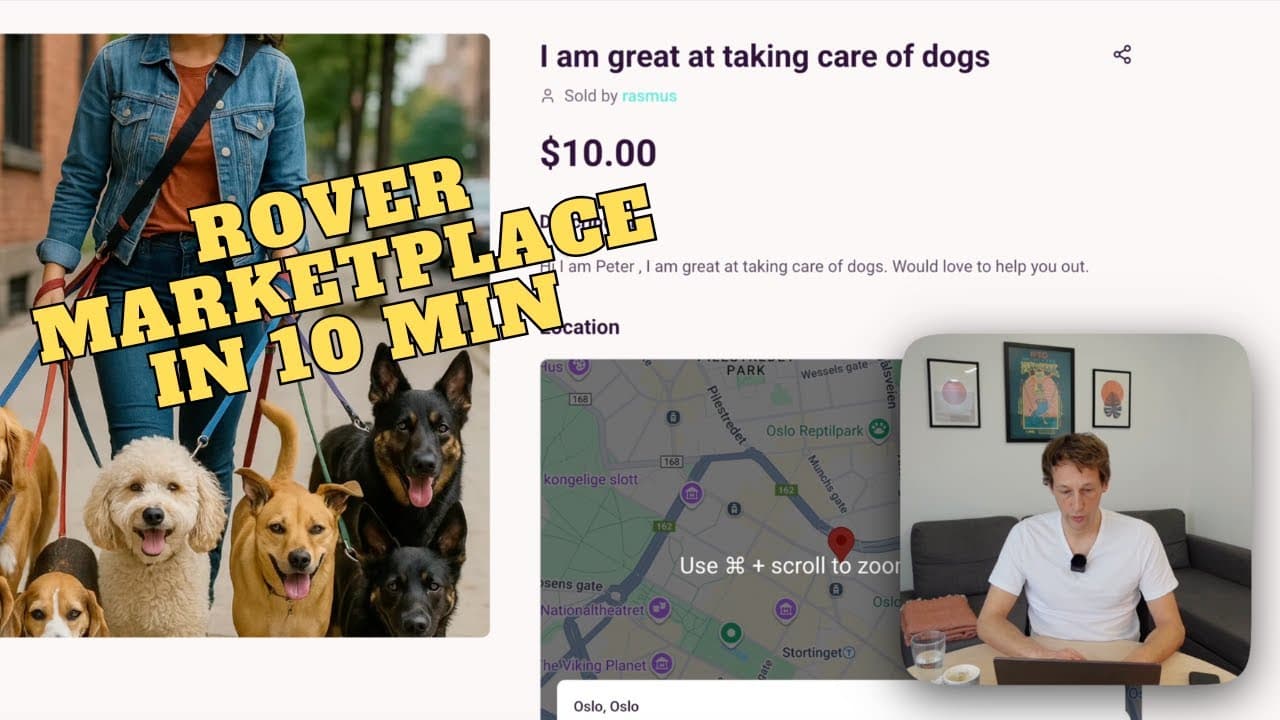
Rover-style service marketplace
Pet sitting, tutoring, home services: providers, bookings and reviews.
Learn moreFiverr-style freelance marketplace
Online service gigs with tiers and Stripe Connect payouts.
Learn moreAirbnb-style rental marketplace
Per-night pricing, calendars and iCal sync for rentals.
Learn moreMulti-vendor marketplace
Many sellers on one platform with built-in payouts.
Learn moreB2B marketplace
Wholesale and business-to-business trade.
Learn moreEtsy-style product marketplace
Handmade goods, vintage items, curated products.
Learn moreFrequently Asked Questions
That is the difference from a cleaning company, which employs cleaners and carries the schedule, vans and insurance.
Start in one area with cleaners you trust, and add the next town when the first one gets bookings every week.
If you prefer, you can switch on instant booking instead.
You can also switch on payout after the session, which holds the cleaner's share until a set number of days after the clean.
Answers can hand out badges automatically, for example a "Background checked" badge on the cleaner's profile.
Stripe's processing fee comes out of the cleaner's share. Use the calculator above to model it.
Pick it under Ready-made marketplaces when you create your marketplace, give it a name, and edit from there.
Get Started
Pick the Home Cleaning template, name your marketplace, and you are where the video ends: a working cleaning marketplace with vetting, bookings and payouts. The rest is your town, your cleaners and your brand. Start from the Cleaning template.
Related guides
Keep going
More videos and guides on building niche marketplaces.



Ready to start your cleaning marketplace?
Pick the Home Cleaning template and you have the whole setup from the video in a minute: service types, cleaner vetting, booking flow, sample listings. 14-day free trial.
Start from the Cleaning template